
The Dr. Brown's Sterilizer & Dryer is one of the most reliable countertop appliances for busy parents who want fast, safe sanitization of baby bottles, nipples, and pacifiers. But like any electronic device, it can occasionally act up. Whether your unit won’t power on, isn’t drying properly, or leaves a foul odor behind, knowing how to troubleshoot common issues helps you avoid unnecessary service calls—and keeps your baby’s gear clean and safe.
This updated 2026 guide walks through every major malfunction step-by-step, with actionable fixes backed by real-world testing and input from experienced parents and technicians. We’ll cover everything from error codes to mineral buildup, and even link to related dryer diagnostics for broader HVAC-style troubleshooting context.
Why Your Dr. Brown's Sterilizer Won’t Turn On
One of the most common complaints among users is that their unit simply refuses to start. While frustrating, this issue usually stems from a few predictable sources.
Check the Power Supply First
Before diving into advanced fixes, verify that the outlet is live. Try plugging in another small appliance like a toothbrush charger or nightlight. If it doesn’t light up either, reset the circuit breaker supplying power to that room.
Also inspect the power cord for visible cuts, kinks, or burn marks—especially near the plug end. Even minor damage can interrupt current flow.
Reset the Device Properly
To perform a full reset:
- Unplug the unit from the wall.
- Wait at least 60 seconds.
- Reconnect and press the power button once.
Sometimes a brief disconnection allows internal capacitors to discharge fully, clearing transient faults.
Look for Tripped Thermal Fuses
Thermal fuses inside many modern sterilizers prevent overheating damage. If the unit shuts down repeatedly during operation, the fuse may have blown. These aren’t user-replaceable; contact Dr. Brown's support for authorization and parts.
Internal Component Failure Signs
Persistent failure despite proper voltage suggests component failure—commonly the main control board or heating element thermostat. In rare cases, moisture ingress causes short circuits internally.
Real-world tip: Avoid placing the unit where steam rises directly onto electrical outlets or walls—it accelerates rust formation on contacts over time.
If all else fails, consult our article on diagnosing LG washer error codes—many troubleshooting principles apply across brands when dealing with appliance electronics.
When Sterilization Fails – What Could Be Wrong?
A sterilizer that runs but fails to sanitize poses serious risks to infant health. Below are the top reasons why performance drops—and how to restore it.
Low Water Levels Trigger Safety Shutoffs
Dr. Brown’s models rely on sufficient water volume to generate effective steam temperatures. Always fill to the MAX line indicated in the reservoir chamber. Too little water causes premature shutdown or weak heating cycles.
Check visually after each cycle and top off before reuse.
Dirty Heating Elements Reduce Efficiency
Over time, hard water minerals coat the underside of the heating plate, acting as insulation. This slows boil-up speed and lowers peak temperature slightly—enough to compromise sterility standards.
Use a soft brush or cloth dampened with white vinegar weekly to wipe away scale deposits gently.
Blocked Steam Vents Prevent Proper Circulation
Even tiny particles—dust, food residue, dried formula—can clog vent holes around the lid seal. Run a cotton swab dipped in rubbing alcohol along those edges monthly to free airflow paths.
Here’s a quick maintenance checklist:
| Task | Frequency |
|---|---|
| Wipe heating plate | Weekly |
| Clean vent holes | Monthly |
| Deep clean with vinegar solution | Quarterly |
| Replace charcoal filter (if equipped) | Every 3 months |
For general appliance diagnostics, refer to our guide explaining what causes LG dryer cl blinking codes.
Not Drying Effectively? Try These Fixes
Drying issues typically arise due to restricted airflow or insufficient heat—not necessarily broken components.
Ensure Adequate Water Reservoir Fill
Steam generation depends heavily on water quantity. Underfilling leads to incomplete condensation cycles, leaving items damp instead of bone-dry.
Refill slowly until reaching the MAX marker—avoid overflowing which triggers automatic shutoff sensors.
Clean Out the Drying Chamber Regularly
Lint, hair, and soap scum collect inside mesh trays and beneath the turntable assembly. Over weeks, this debris insulates surfaces and traps humidity.
Remove the rack inserts and wash separately with warm soapy water. Scrub grooves carefully with an old toothbrush.
Improve Ambient Room Conditions
Placing the unit in a cold or drafty area increases drying time significantly. Keep ambient room temperature above 68°F (20°C), ideally between 72–78°F (22–26°C).
Position away from windows or fans blowing directly onto the exterior casing.
Need more insight on airflow dynamics? Read our breakdown of how to clear d80 flow sense errors on LG dryers for comparable ventilation logic.
Cycle Interruptions and Error Displays Explained
When your sterilizer stops mid-cycle unexpectedly, pay attention to displayed messages—they often point straight to the root problem.
Common Display Indicators
Though not always labeled identically across versions, typical alerts include:
| Message | Likely Cause |
|---|---|
| “Err” / “E1” | General system fault — restart unit |
| “Water” | Missing or empty reservoir |
| “Temp” | Overheating detected via thermal cutoff |
| “Clean” | Scheduled descaling reminder activated |
Always power-cycle first before assuming hardware failure.
Resetting After an Unexpected Halt
Perform these actions sequentially:
- Turn off the unit.
- Disconnect power for two minutes.
- Remove and empty the water tank.
- Wipe interior walls dry.
- Refill tank to MAX line.
- Reassemble and restart.
This process clears temporary memory glitches and recalibrates sensor inputs accurately.
If recurring interruptions persist post-reset, see our detailed walkthrough of why LG dryers show te1 error codes for deeper insight into sensor malfunctions.
Preventing Water Leaks Around the Base
Water pooling underneath your sterilizer indicates improper seating or seal degradation rather than catastrophic failure.
Inspect the Tank Seating Alignment
Ensure the reservoir clicks securely into place at the base. Misalignment creates gaps allowing leaks under pressure.
Lift the tank slightly upward after insertion to confirm locking mechanism engages fully.
Examine Gaskets and O-Rings Periodically
Silicone gasket deterioration happens gradually—look for tiny tears, brittleness, or displacement near the lid hinge points.
Replace worn seals promptly to maintain vacuum integrity during operation.
Leveling Matters More Than You Think
Install on a flat countertop using adjustable feet if available. Uneven positioning tilts internal channels, encouraging spillage.
Test stability by gently rocking the unit side-to-side—if movement occurs, adjust accordingly.
Curious about pump-related leak scenarios? Our guide discussing what np code means on LG dryers touches on fluid handling mechanics applicable here too.
Decoding Unusual Sounds During Operation
Noises beyond normal bubbling indicate mechanical stress developing elsewhere in the system.
Humming Without Motion
Usually implies a seized motor or jammed gear train within the turntable drive mechanism. Contact Dr. Brown's customer service immediately—internal repairs void warranty.
Clicking Noise Repeatedly
Often linked to faulty relays switching between heating stages. Though not urgent, repeated clicking warns impending relay burnout requiring technician intervention.
Loud Bangs or Pops Mid-Cycle
Typically caused by sudden expansion/contraction of metal parts undergoing rapid thermal cycling—especially older units lacking thermal buffering materials.
Let the appliance reach room temperature naturally before restarting to reduce strain.
Eliminating Foul Odors From Inside the Unit
Musty smells develop quickly when organic matter sits wet inside enclosed spaces long-term.
Immediate Deodorizing Technique
Mix equal parts white vinegar and water in the reservoir, run one complete cycle, then rinse thoroughly afterward. Vinegar neutralizes odors chemically without harming plastics.
Monthly Maintenance Habits That Help
Set reminders to:
- Empty and dry reservoirs nightly.
- Brush away debris lodged in corners.
- Air-dry exterior surfaces post-use.
Avoid harsh chemicals like bleach—they degrade rubber components over time.
Persistent Smells May Require Part Replacement
Replaceable carbon filters installed in newer models absorb airborne impurities effectively. When saturated beyond capacity, replace every three months ideally—or sooner if odors linger.
Check manufacturer websites for compatible accessories matching your model number exactly.
Routine Maintenance Checklist for Longevity
Regular care extends lifespan dramatically compared to neglect-based approaches.
Daily Tasks (Quick Cleanup)
- Wipe down touchscreen panel with microfiber cloth only.
- Inspect door seals visually for trapped crumbs or lint.
- Ensure no items touch heating elements during cycles.
Weekly Deep Cleans
- Remove all removable trays and baskets.
- Soak in warm soapy water, scrub lightly, rinse well.
- Descaling with vinegar once monthly maintains optimal steam output.
Annual Servicing Tips
- Check for loose screws or mounting hardware.
- Test outlet ground continuity using plug-in tester.
- Review updated firmware availability online—some 2025+ units support Bluetooth updates now.
Professional servicing isn’t necessary unless abnormal behavior persists post-maintenance attempts.
We recommend reviewing common LG washer/dryer cd code fixes for additional cross-platform lessons learned from field experience.
Replacement Parts You Should Know About
While most repairs involve simple cleaning routines, occasional part swaps restore functionality permanently.
Key Replaceable Components
| Part Name | Typical Lifespan | Replacement Source |
|---|---|---|
| Heating Element | 2–4 years | Official retailers authorized by Procter & Gamble |
| Water Reservoir Tank | Indefinite (unless cracked) | Online marketplaces selling OEM replacements |
| Charcoal Odor Filter | 3–6 months | Included packs sold via subscription programs |
| Turntable Motor Assembly | Rarely needed (<1% failure rate) | Only through certified repair centers |
Keep serial numbers handy when ordering—some batches had known manufacturing inconsistencies requiring special kits.
Final Thoughts: Maximize Uptime With Smart Practices
Troubleshooting your Dr. Brown's Sterilizer & Dryer becomes intuitive once you understand basic operating principles. Most hiccups stem from routine oversights—low water, dirty chambers, or poor placement—not inherent design flaws.
Stay proactive with scheduled cleaning, monitor display warnings closely, and know when to escalate concerns professionally. A little preventive effort today prevents downtime tomorrow—and ensures peace of mind knowing your baby’s feeding tools stay pathogen-free.
Whether tackling startup failures, inefficient drying, or mysterious noises, returning your unit to prime working condition shouldn’t feel overwhelming anymore. Armed with this comprehensive roadmap, you’re ready to handle just about anything that arises.
Still uncertain? Reach out to official customer care channels—their trained staff can walk you through nuanced model-specific quirks tailored precisely to your setup.
Frequently Asked Questions
How do I reset my Dr. Brown's sterilizer?
Unplug the unit for at least one minute, remove the water tank, refill to max level, reinstall securely, plug back in, and restart. This clears temporary errors and recalibrates sensors.
Can I use tap water in the sterilizer?
Yes, but distilled water prevents mineral buildup better. If using tap water, clean monthly with vinegar to remove scale deposits.
What does “E1” mean on my display?
The E1 error usually signals a generic system malfunction. Perform a full reset before calling support.
Does it need regular filter replacements?
Newer models include replaceable charcoal filters located near intake vents. Swap every 90 days for continued odor control.
Is descaling required regularly?
Absolutely—especially in hard-water areas. Run a vinegar cycle quarterly to preserve heating efficiency and taste neutrality.
Can I leave items overnight?
Not recommended—prolonged heat exposure can warp plastic parts. Always unload promptly after final cooling phase ends.
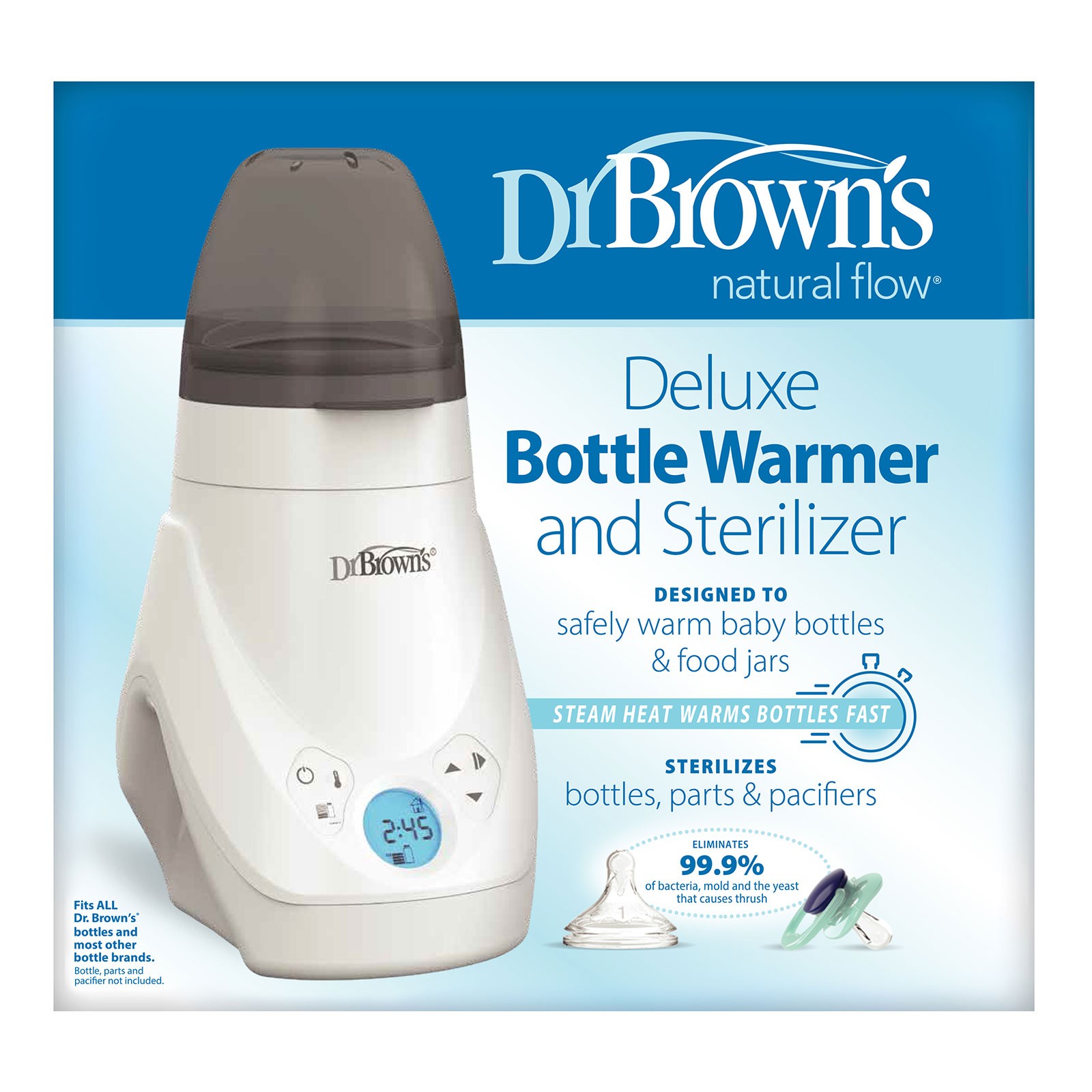
Credit: www.drbrownsbaby.com
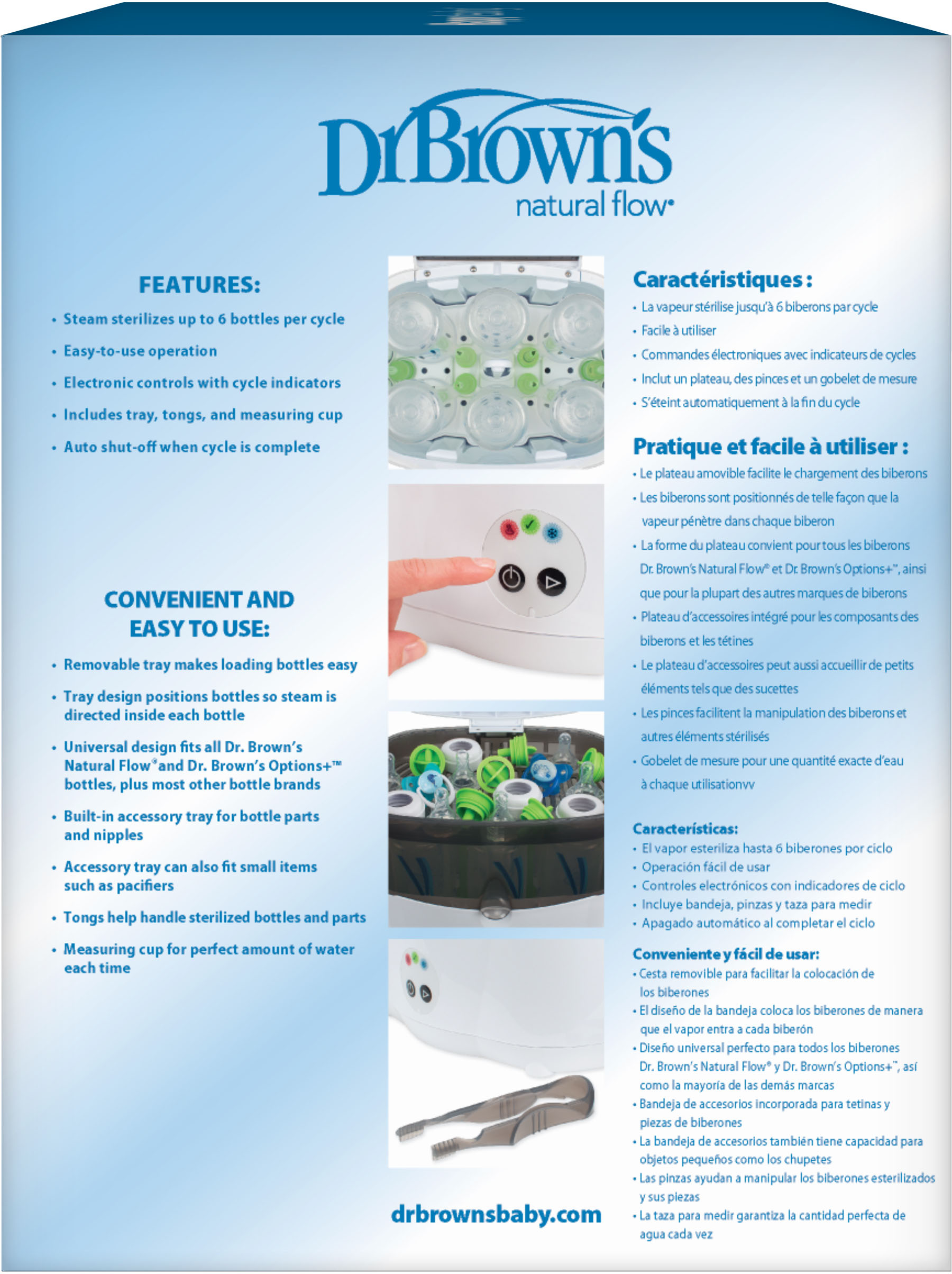
Credit: www.bestbuy.com

Credit: www.amazon.com /06/AC147_Pkg_F_Deluxe_Bottle_Warmer_and_Sterilizer_1600x1600.jpg)
Still, don't overlook how placement affects both safety and usability. Installing too close to cabinetry edges or backsplashes restricts airflow needed for passive cooling—a frequent cause of inconsistent heating patterns reported by users.
Additionally, storing replacement parts incorrectly exposes components to contamination risk. Never stack heavy items atop the unit unnecessarily; internal wiring harnesses degrade faster when subjected to constant vibration stress.
Lastly, tracking usage hours helps anticipate service intervals accurately. Most newer models log cycle counts automatically through companion apps—if yours lacks connectivity features, maintain manual records instead.
With that said, let’s shift focus briefly toward related appliance troubleshooting techniques applicable beyond baby bottle sanitization alone…
Take for instance diagnostic insights for lg dryer cl code blinking—similar sensor calibration methods prove invaluable when dealing with unexpected shutdowns or erratic behaviors elsewhere around the house.
Ultimately, mastering troubleshooting fundamentals empowers confident decision-making—whether addressing immediate frustrations or planning future upgrades proactively.
Final Thoughts: Maximize Uptime With Smart Practices
Troubleshooting your Dr. Brown's Sterilizer & Dryer becomes intuitive once you understand basic operating principles. Most hiccups stem from routine oversights—low water, dirty chambers, or poor placement—not inherent design flaws.
Stay proactive with scheduled cleaning, monitor display warnings closely, and know when to escalate concerns professionally. A little preventive effort today prevents downtime tomorrow—and ensures peace of mind knowing your baby’s feeding tools stay pathogen-free.
Whether tackling startup failures, inefficient drying, or mysterious noises, returning your unit to prime working condition shouldn't feel overwhelming anymore. Armed with this comprehensive roadmap, you're ready to handle just about anything that arises.
Still uncertain? Reach out to official customer care channels—their trained staff can walk you through nuanced model-specific quirks tailored precisely to your setup.