
Ever find yourself wandering around your home, phone in hand, searching for that elusive WiFi signal? You’re not alone.
We all rely on a strong and steady connection, whether it’s for work, streaming, or simply staying connected with friends and family. But did you know that the solution to your connectivity woes might be as simple as rearranging your furniture?
Yes, you heard that right. The very couch or bookshelf you adore could be the silent culprit behind your WiFi headaches. Intrigued? You should be. Understanding how your surroundings affect your WiFi signal can transform your digital experience. Stick around, and we’ll uncover how furniture might be blocking your WiFi and what you can do about it. Your perfect connection might be just a few furniture moves away.
Impact Of Furniture On Wifi Signals
In our increasingly connected world, a stable WiFi connection is essential. However, you might not realize that the placement of your furniture can impact your WiFi signal strength. It’s surprising how something as mundane as a couch or bookshelf can interfere with your internet connection. Understanding the impact of furniture on WiFi signals can help you optimize your home setup for the best connectivity.
Material Matters
Did you know that different materials affect WiFi signals in unique ways? Wooden furniture, for example, might not block signals as much as metal furniture does. Metal acts like a barrier, reflecting and absorbing signals, which can lead to dead zones in your home.
Consider the materials of the furniture surrounding your router. Are there large metal items nearby? If so, you might want to rearrange them to improve your WiFi performance.
Size And Shape
The size and shape of your furniture also play a role in your WiFi connectivity. Large, bulky pieces can obstruct the path of your WiFi signals. Signals travel in straight lines and can be blocked by big objects like a massive entertainment center.
Think of your WiFi router like a light bulb. If you place something large in front of it, the light (or in this case, signal) won’t reach as far. This can lead to frustratingly slow internet speeds.
Placement Strategy
Where you place your furniture can make a big difference. Keeping furniture away from your router can help maximize coverage. Aim for an open space to allow signals to travel freely.
Try to position your router centrally in your home. This helps distribute the signal evenly. Avoid putting it in corners or behind thick walls, which can absorb or block signals.
Personal Experience
I’ve found that moving my router out from behind a large TV cabinet made a noticeable difference in speed. It was a simple change, but the improvement was significant. Have you ever noticed how moving just one piece of furniture improved your connection?
Experimenting with the placement of your furniture can be a fun and effective way to boost your internet speed. It’s a practical step towards more reliable WiFi without needing to upgrade your equipment.
Final Thoughts
Understanding the impact of furniture on WiFi signals can help you make informed decisions. Small adjustments can lead to better connectivity. Why not take a moment to evaluate your setup today?
Could a quick rearrangement of your living space enhance your internet experience? It’s worth considering for a faster, more reliable connection.

Credit: www.sciencebuddies.org
Materials That Affect Signal Strength
Understanding how furniture materials affect WiFi signal strength can be vital. Some materials can block or weaken the signal. Others might allow it to pass through easily. Knowing these materials can help you arrange your space for better connectivity.
Wood And Signal Penetration
Wood is a common material in furniture. It generally allows WiFi signals to pass through. The thickness of the wood can play a role. Thicker wood may reduce signal strength slightly. Still, wood is not a significant barrier.
Metal: A Strong Barrier
Metal is a major WiFi signal blocker. Signals have trouble passing through metal furniture. Items like metal cabinets or desks can disrupt signal flow. Positioning your router away from metal can help.
Glass: A Transparent Medium
Glass is transparent to WiFi signals. This makes it one of the least obstructive materials. Glass tables or shelves generally don’t interfere with signal strength. You can place your router near glass surfaces without worry.
Brick And Concrete: Solid Blockers
Brick and concrete are significant obstacles for WiFi signals. These materials absorb and weaken the signal. Furniture made with these can severely block WiFi. Keep routers away from walls made of these materials.
Fabric And Cushions
Fabric and cushions minimally affect WiFi. They are less dense and allow signals to pass through. Sofas and chairs with fabric upholstery won’t disrupt much. You can comfortably place these near your router.
Optimizing Wifi Placement
Optimizing wifi placement can significantly boost your internet speed. Furniture can interfere with wifi signals, affecting connectivity. Placing your router correctly is crucial for a strong and reliable signal. Understanding the impact of physical objects on wifi can help you make informed decisions.
Identifying Signal Blockers
Furniture like bookshelves or metal cabinets can block signals. Thick walls and large appliances also obstruct wifi. Identifying these blockers helps in improving your network.
Choosing The Right Location
Place your router in a central location. Avoid corners or enclosed spaces. High shelves are ideal as they allow signals to travel freely. Keep it away from large furniture pieces.
Adjusting Router Height
Router height affects signal reach. Placing it higher can enhance coverage. Avoid low placements like under desks or tables. Elevated positions reduce interference.
Minimizing Interference
Keep electronic devices away from the router. Microwaves and cordless phones can cause disruptions. Maintain a clear path for signals to travel. This ensures consistent internet access.
Using Signal Boosters
Signal boosters can help in large spaces. They extend the range of your wifi. Place them strategically to cover dead zones. Boosters are useful in homes with multiple floors.
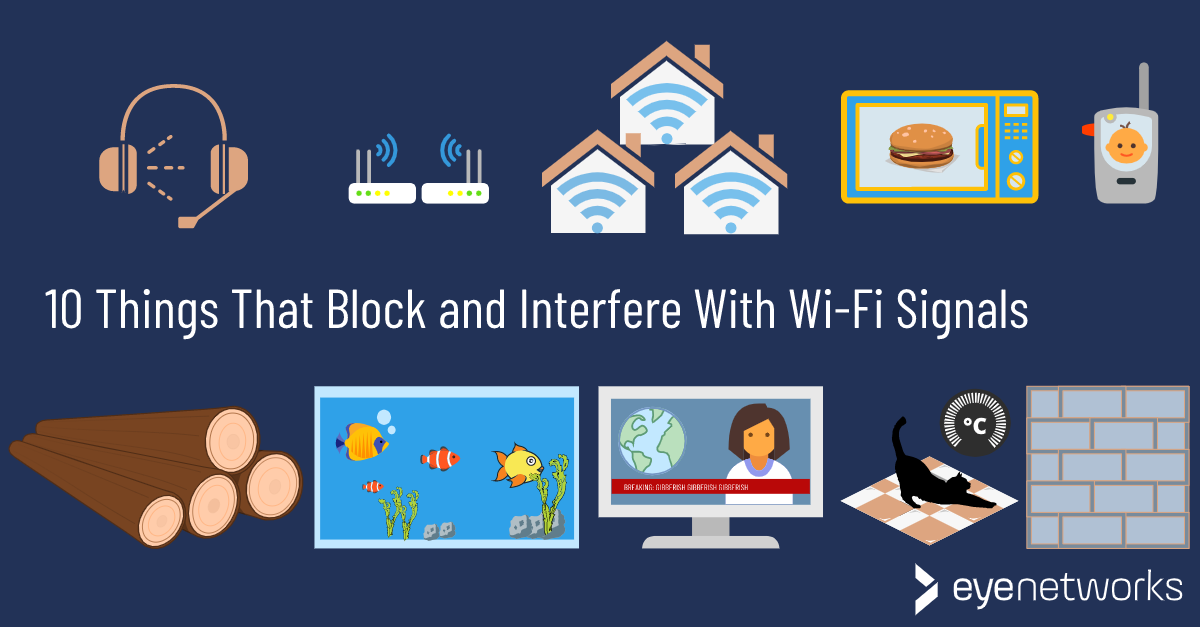
Credit: eyenetworks.no

Credit: www.signalboosters.com
Conclusion
Furniture can impact WiFi signals, creating connectivity issues. Thick materials, like metal or wood, often block signals. Positioning routers wisely helps maintain strong connections. Keep WiFi devices away from large furniture pieces. Consider signal boosters for improved coverage. Test signal strength in various spots.
Simple changes make a difference. Adjust furniture, enhance your internet experience. Reliable WiFi boosts productivity and enjoyment. Stay informed about how your space affects signals. Better understanding leads to smarter setups. Optimize your home environment for seamless online activities. Adapt your layout for a smoother digital experience.