
Is the Amana dryer timer not stopping? This issue may be due to a faulty timer control mechanism.
If you are experiencing a problem with your Amana dryer timer not stopping, it may be caused by a malfunctioning timer control mechanism. The timer is responsible for controlling the length of each drying cycle, so if it fails to stop at the appropriate time, it can result in over-drying or under-drying your clothes.
This issue can be frustrating, but fortunately, it can often be resolved by replacing the faulty timer. In this guide, we will explore some common causes of a timer not stopping and provide steps to troubleshoot and resolve the issue. Read on to learn how to fix your Amana dryer timer problem and get your laundry routine back on track.
The Functionality Of The Dryer Timer
If you have an Amana dryer, the timer is an essential component that controls the duration of the drying cycle. Understanding how the dryer timer functions can help you troubleshoot any issues you may encounter, such as the timer not stopping. In this section, we will delve into the purpose of the dryer timer, how it controls the drying cycle, and the various timer settings available.
Understanding The Purpose Of The Dryer Timer
The primary purpose of the dryer timer is to regulate the time required to complete a drying cycle. It ensures that your clothes are not under-dried or over-dried by allowing you to select the desired drying time. Once set, the timer counts down and automatically shuts off the dryer when the selected time elapses. This functionality prevents your clothes from being subjected to excessive heat or prolonged drying, which can lead to damage.
How The Timer Controls The Drying Cycle?
The dryer timer acts as the brain of the appliance, coordinating the various components necessary for a successful drying cycle. When you start the dryer, the timer sends electrical signals to enable the heating element, motor, and other components, initiating the drying process. As the timer counts down, it continuously monitors the progress of the drying cycle and adjusts the energy supply accordingly. Once the set time is reached, the timer sends a signal to stop the flow of electricity, signaling the end of the drying cycle.
Exploring The Different Timer Settings
An Amana dryer typically offers a range of timer settings to accommodate various drying needs. These settings can include time selections such as “Delicate,” “Casual,” “Normal,” and “Heavy Duty.” Each setting corresponds to a pre-determined drying time optimized for different fabric types and load sizes.
To further customize your drying experience, some Amana dryers may feature additional options such as “Wrinkle Prevent” or “Extra Dry.” These options allow you to extend the drying time or apply a specific treatment to your garments, ensuring optimal results. It’s crucial to familiarize yourself with the specific timer settings available on your Amana dryer to make the most of its functionality.
When your Amana dryer timer does not stop as intended, it can disrupt your laundry routine and potentially lead to over-drying or even damage to your clothes. In the next section, we will discuss possible causes of a timer not stopping and troubleshooting steps to resolve the issue.
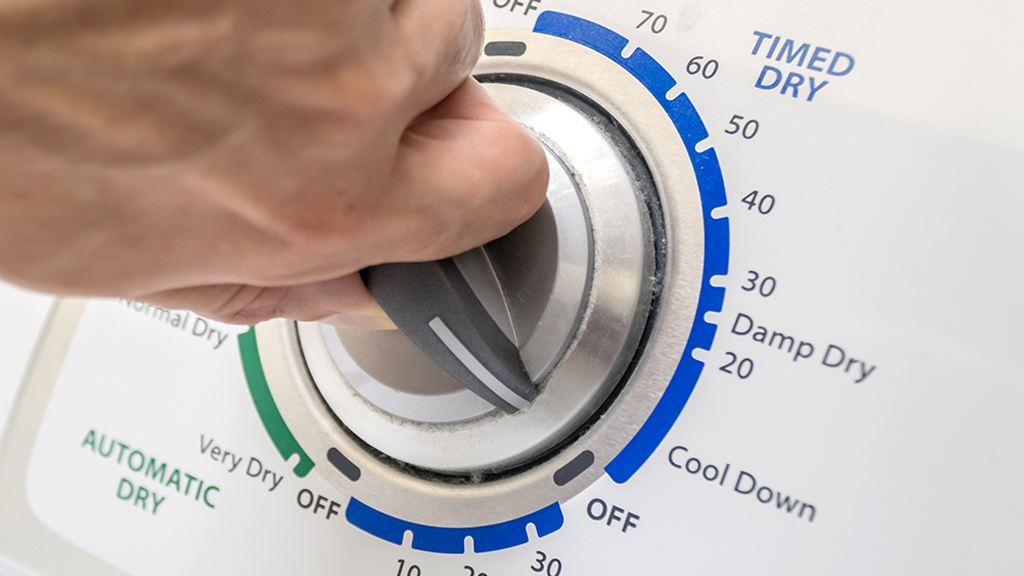
Credit: www.asurion.com
Timer Stuck On A Specific Setting
Having a timer that gets stuck on a specific setting can be a frustrating experience when using your Amana dryer. This issue can lead to clothes being over dried or not dried enough, adding unnecessary time and energy consumption to your laundry routine. In this section, we will explore possible causes for the stuck timer, provide troubleshooting steps to fix it, and discuss the option of replacing the timer if necessary.
Possible Causes For A Stuck Timer
When your Amana dryer timer is stuck on a specific setting, there can be a few potential causes behind this problem. It is important to understand these causes to effectively troubleshoot and resolve the issue. Here are some common reasons for a stuck timer:
- Faulty timer motor: The motor that controls the movement of the timer dial might be malfunctioning, preventing it from progressing to the next setting.
- Damaged timer knob: If the knob that you use to set the timer is damaged or worn out, it may not properly engage with the timer mechanism, causing it to get stuck.
- Electrical issues: A power surge or electrical malfunction can disrupt the functionality of the timer, causing it to freeze on a specific setting.
- Build-up of debris: Accumulated lint, dust, or other debris inside the timer mechanism can impede its smooth operation, resulting in a stuck timer.
Troubleshooting Steps To Fix A Stuck Timer
Before considering replacing the timer, there are several troubleshooting steps you can take to fix a stuck timer on your Amana dryer. Follow these steps to resolve the issue:
- Power off and unplug the dryer: Before starting any troubleshooting, ensure the dryer is disconnected from the power source to prevent any electrical accidents.
- Inspect the timer knob: Examine the timer knob for any signs of damage or wear. If it appears to be the issue, replacing the knob might solve the problem.
- Clean the timer mechanism: Using a soft brush or compressed air, carefully remove any dirt, lint, or debris that might be obstructing the timer’s movement.
- Test the timer motor: If the timer motor is suspected to be faulty, use a multimeter to test its continuity. If it does not show continuity, replacing the motor may be necessary.
- Check for electrical issues: Ensure that the dryer is properly grounded and that there are no loose or damaged wires that could be affecting the timer’s operation.
- Reset the timer: Turn the timer knob to its off position and then advance it to the desired setting. This can sometimes reset the timer and fix the stuck issue.
Replacing The Timer If Necessary
If none of the troubleshooting steps mentioned above resolves the stuck timer problem, it might be necessary to replace the timer on your Amana dryer. Replacing the timer requires some technical expertise, so if you are not confident in doing it yourself, it is advisable to seek professional assistance. Make sure to purchase a compatible replacement timer specifically designed for your Amana dryer model.
Timer Not Advancing Through The Drying Cycle
If you have noticed that your Amana dryer’s timer is not advancing through the drying cycle, it can be quite frustrating. It may leave your clothes damp and require multiple cycles to get them completely dry. However, there are several reasons why the timer may not be advancing, and fortunately, many of them can be easily troubleshooted and resolved without the need to replace the timer entirely. In this article, we will explore the possible reasons behind this issue and provide step-by-step instructions for troubleshooting and resolving it.
Reasons Why The Timer May Not Be Advancing
There can be various reasons why the timer on your Amana dryer is not advancing as it should. Some common factors to consider include:
- Defective timer motor: The timer motor controls the movement of the timer through the drying cycle. If this motor is faulty or burned out, it can cause the timer to stop advancing.
- Broken timer knobs: If the timer knobs are damaged, stripped, or worn out, they may not properly engage with the timer mechanism, leading to a lack of advancement.
- Faulty cycling thermostat: The cycling thermostat is responsible for regulating the temperature inside the dryer. If it is malfunctioning, it can disrupt the timer’s function and cause it to stop advancing.
- Blocked vent system: A clogged or blocked vent system can restrict the airflow inside the dryer, resulting in longer drying times. In turn, this can cause the timer to appear stuck and not advance.
How To Troubleshoot And Resolve The Issue?
Here are the steps to troubleshoot and resolve the issue of the timer not advancing on your Amana dryer:
- Check the timer motor: Use a multimeter to test the resistance of the timer motor. If it reads open or infinity, the motor is likely defective and needs to be replaced.
- Inspect the timer knobs: Examine the timer knobs for any signs of damage or wear. If they are broken or stripped, replace them with new ones that properly engage with the timer mechanism.
- Test the cycling thermostat: Disconnect the power to the dryer and locate the cycling thermostat. Use a multimeter to check for continuity. If there is no continuity, the thermostat should be replaced.
- Clean the vent system: Inspect the vent system for any obstructions or buildup. Clear any debris or lint that may be blocking the airflow and preventing proper drying. Ensure that the vent duct is properly connected and not kinked.
When To Consider Replacing The Timer?
If you have followed the troubleshooting steps and are still experiencing issues with the timer not advancing, it may be necessary to replace the timer. Consider replacing the timer if:
- The timer motor is confirmed to be defective.
- Other components, such as the timer knobs or cycling thermostat, have been ruled out as the cause of the problem.
- Professional technicians or service personnel have recommended replacing the timer.
Diagnostic Steps For Timer Malfunction
When your Amana dryer timer does not stop, it can be a frustrating experience. Fortunately, there are a few diagnostic steps you can take to identify and resolve the issue. By following the safety precautions, checking for faulty wiring or connections, and using a multimeter to test the timer’s functionality, you can troubleshoot the problem effectively. In this article, we will guide you through these steps to help you get your Amana dryer back in working order.
Safety Precautions Before Starting Diagnostic Tests
Before you begin diagnosing the timer malfunction in your Amana dryer, it is important to take a few safety precautions:
- Disconnect the dryer from the power source to avoid any electrical accidents.
- Wear safety gloves and goggles to protect yourself from any potential hazards.
- If you are unsure about any step or feel uncomfortable working with electrical components, it is recommended to seek professional assistance.
Checking For Faulty Wiring Or Connections
In some cases, the issue may be caused by faulty wiring or connections. Here is how you can check for this:
- Inspect the power cord and make sure it is securely connected to the dryer and the electrical outlet.
- Examine the terminal block or junction box where the power cord connects to the dryer. Look for any loose or damaged wires.
- If you find any loose wires, tighten them using a screwdriver. If any wires are damaged, replace them with the appropriate wiring.
- Check the door switch and ensure it is properly aligned and functioning. A faulty door switch can prevent the timer from stopping.
Using A Multimeter To Test The Timer’s Functionality
If there are no issues with the wiring or connections, it is time to test the functionality of the timer using a multimeter. Here’s how:
- Set your multimeter to the continuity or ohms setting.
- Disconnect the timer from the power supply and remove it from the dryer.
- Identify the terminals associated with the timer motor, which are usually labeled on the timer’s body.
- Place one probe of the multimeter on the timer motor terminal marked as ‘M’, and the other probe on the common terminal marked as ‘C’.
- If the multimeter shows a continuous or low resistance reading, it indicates that the timer motor is working fine. However, if there is no continuity or a high resistance reading, it means the timer motor is faulty and needs to be replaced.
By following these diagnostic steps, you can easily identify the cause of the Amana dryer timer not stopping and take appropriate measures to fix it. Remember to always prioritize safety and seek professional assistance if needed.
Identifying Faulty Components In The Timer
Identifying faulty components in the timer is crucial when troubleshooting an Amana dryer that won’t stop running. The timer is responsible for regulating the duration of each drying cycle and controlling the various functions of the appliance. In this section, we will discuss the symptoms of a faulty timer motor or contacts, how to test these components, and how to replace them if necessary.
Symptoms Of A Faulty Timer Motor Or Contacts
A faulty timer motor or contacts can cause the Amana dryer’s timer to malfunction. It’s important to be aware of the following symptoms:
- The timer doesn’t advance or stops during a drying cycle.
- The dryer continues to run even when the selected drying time is completed.
- The timer makes buzzing or humming sounds.
- The contacts inside the timer are visibly damaged or burnt.
How To Test The Timer Motor And Contacts?
To determine if the timer motor or contacts are faulty, you can perform the following tests:
- Disconnect the dryer from the power source to ensure safety.
- Access the timer by removing the control panel or back panel of the dryer, as specified in the user manual.
- Locate the timer motor and contacts.
- Using a multimeter set to the continuity or resistance mode, start by testing the timer motor:
| Procedure | Result |
|---|---|
| Disconnect the motor from the timer. | If the motor does not show continuity or has an open circuit, it is faulty and needs to be replaced. |
| Reconnect the motor to the timer. | If the motor now shows continuity or a closed circuit, it is functioning correctly. |
Next, test the contacts:
- Disconnect the power wires connected to the timer contacts.
- Select a timer setting and use the multimeter to test the continuity between the corresponding contacts.
- If the contacts do not show continuity or have an open circuit, they are faulty and need to be replaced.
Replacing The Faulty Components If Necessary
If the tests confirm that the timer motor or contacts are faulty, they will need to be replaced. Here are the general steps to follow:
- Order the appropriate replacement parts from a trusted supplier or manufacturer.
- Disconnect the power and remove the old timer motor or contacts.
- Install the new components in reverse order, ensuring they are properly connected and secured.
- Reassemble the dryer and test the timer functionality.
By identifying and replacing faulty components in the timer, you can restore the proper operation of your Amana dryer and ensure that it stops at the designated time.
Gathering The Correct Replacement Timer
Gathering the Correct Replacement Timer
If you are experiencing issues with your Amana dryer timer not stopping, the likely culprit is a malfunctioning timer that needs to be replaced. Finding the correct replacement timer is essential to resolve this problem. In this section, we will guide you on how to identify the compatible timer model, where to purchase replacement timers, and provide tips for finding the correct timer model.
Identifying The Compatible Timer Model
To identify the compatible timer model for your Amana dryer, you need to gather some essential information. Here are the steps to follow:
- Make a note of your dryer’s make and model number. This information can typically be found on the dryer’s product label, located either on the back panel, inside the door, or on the inside wall of the dryer.
- Refer to the user manual or visit the manufacturer’s website to find the specific timer model required for your dryer. The user manual often contains a section dedicated to replacement parts, which can guide you in identifying the correct timer model.
- If you cannot find the information you need, you can contact Amana customer support or consult with a professional technician who specializes in appliance repairs. They can assist you in determining the appropriate timer model for your dryer.
Where To Purchase Replacement Timers?
Once you have identified the correct timer model for your Amana dryer, you need to find a reliable source to purchase the replacement timer. Here are some options:
- Visit the official Amana website. They may have an online store or a list of authorized dealers that sell replacement parts, including timers.
- Online retailers such as Amazon, eBay, or specialized appliance parts websites often carry a wide range of replacement timers. Make sure to filter your search based on the specific timer model to ensure compatibility.
- Local appliance repair stores and hardware stores might carry Amana dryer replacement timers. Check with stores in your area or call ahead to inquire about availability.
Tips For Finding The Correct Timer Model
Finding the correct timer model can sometimes be challenging, but here are a few tips to help you in your search:
- Double-check the make and model number of your dryer to avoid any mistakes when purchasing the replacement timer.
- Take note of any additional features or specifications mentioned in the user manual or on the product label that are specific to your dryer, as this information can further refine your search for the correct timer model.
- If you are unsure about a particular timer model, reach out to the seller or manufacturer for assistance. They can provide you with additional information or clarify any doubts you may have.
By following these steps and tips, you can gather the correct replacement timer for your Amana dryer, allowing you to resolve the issue of the timer not stopping.
Step-by-step Guide To Replace The Timer
If you own an Amana dryer and have been experiencing issues with the timer not stopping, you may need to replace it. The timer in your dryer is responsible for regulating the duration of each drying cycle. When it malfunctions, it can lead to clothes being over-dried or remaining damp. To help you resolve this issue, we have put together a step-by-step guide on how to replace the timer in your Amana dryer. In this guide, we will cover important safety precautions you need to take, as well as the process of removing the old timer and installing the new one.
Safety Precautions Before Replacing The Timer
Before you begin replacing the timer in your Amana dryer, it is crucial to ensure your safety. Follow these safety precautions to avoid any accidents or injuries:
- Unplug the dryer from the power source to eliminate the risk of electric shock.
- Wear protective gloves to protect your hands from sharp edges and potential electrical hazards.
- Work in a well-lit area to clearly see what you are doing.
Removing The Old Timer And Disconnecting Wires
Now that you have taken the necessary safety precautions, it’s time to remove the old timer. Follow these steps to ensure a smooth removal process:
- Locate the back panel of your Amana dryer and remove the screws holding it in place.
- Once the back panel is removed, locate the timer near the control panel.
- Identify the wires connected to the timer and take a picture or make a note of their positions.
- Using a flat-head screwdriver, carefully disconnect the wires from the old timer by gently prying them off.
Installing The New Timer And Reattaching Wires
With the old timer removed, it’s time to install the new one. Follow these steps to properly install the new timer and reattach the wires:
- Take the new timer and position it in the same location where the old timer was located.
- Reconnect the wires to the new timer in the same positions they were connected to the old-timer.
- Make sure the wires are securely attached to the new timer, and no loose connections are present.
- Once the wires are properly connected, carefully place the back panel back onto the dryer and secure it with the screws.
By following this step-by-step guide, you should be able to replace the timer in your Amana dryer and resolve the issue of it not stopping. Remember to always prioritize safety and take the necessary precautions before attempting any repairs. If you are unsure or uncomfortable with the process, it is best to consult a professional technician to ensure the job is done correctly.
Cleaning And Maintenance Practices
Cleaning and regular maintenance are essential to ensure the proper functioning of your Amana dryer timer. Neglecting these practices can lead to timer malfunctions, causing your dryer to either not stop or stop prematurely. By implementing simple cleaning and maintenance routines, you can prevent such issues and keep your dryer running smoothly for years to come.
Regular Cleaning To Prevent Timer Malfunction
To prevent timer malfunction in your Amana dryer, regular cleaning is important. Over time, lint, debris, and dust can accumulate inside the dryer, including the timer mechanism. This buildup can hinder the timer’s operation and cause it to malfunction. Therefore, it is crucial to clean the dryer regularly.
Here are some cleaning practices to follow:
- Remove lint from the lint trap after each use.
- Periodically clean the lint trap with warm, soapy water to remove residue.
- Inspect and clean the vent duct, removing any blockages.
- Vacuum the area around the dryer to remove dust and lint accumulation.
By adhering to these cleaning practices, you can prevent lint buildup and ensure the smooth operation of the dryer timer.
Lubricating The Timer For Smooth Operation
In addition to regular cleaning, lubricating the timer can help maintain its smooth operation. Over time, the timer’s gears and mechanisms can become dry or worn out, leading to friction and potential malfunctions. Proper lubrication can minimize friction and ensure the smooth movement of the timer components.
Here’s how you can lubricate the timer:
- Disconnect the power supply to the dryer.
- Carefully remove the timer cover using a screwdriver.
- Apply a small amount of high-quality lubricant to the moving parts of the timer, such as gears and bearings.
- Reassemble the timer cover and ensure it is securely fastened.
- Plug the dryer back into the power supply.
By following these steps, you can ensure that the timer operates smoothly and efficiently.
Inspecting And Tightening Connections
Another important maintenance practice is inspecting and tightening the connections associated with the Amana dryer timer. Loose or faulty connections can disrupt the timer’s functionality and cause it to malfunction. Regularly inspecting and tightening these connections will help to prevent any potential issues.
Consider the following steps:
- Disconnect the power supply to the dryer.
- Carefully locate the timer connections. Refer to the dryer’s manual if necessary.
- Ensure that all connections are tight and secure.
- If any connections appear frayed or damaged, replace them with suitable replacements.
- Reconnect the power supply to the dryer.
By adhering to these practices, you can ensure that the connections associated with the dryer timer are in optimal condition, minimizing the risk of malfunctions.
Tips To Extend The Lifespan Of The Timer
When it comes to the lifespan of your Amana dryer timer, it’s important to take proactive steps to ensure its longevity. The timer is a crucial component of the dryer, controlling the duration of each drying cycle. An issue like the timer not stopping can be frustrating and inconvenient, but with a few simple tips, you can extend the lifespan of the timer and keep your dryer working efficiently for years to come.
Avoiding Overuse And Overheating
One of the main reasons why a dryer timer may malfunction is due to overuse and overheating. Oftentimes, we tend to overload the dryer with laundry, hoping to get everything dry in one go. However, this puts excessive strain on the timer and can lead to premature failure.
To prevent overuse and overheating, it’s important to follow the manufacturer’s guidelines regarding the maximum load capacity. Overloading the dryer not only puts strain on the timer, but it also affects the overall drying performance. It’s better to split the load into smaller batches and run multiple drying cycles if needed.
Properly Loading The Dryer To Prevent Strain On The Timer
Another factor that can impact the lifespan of the dryer timer is the way you load the dryer. Improper loading can lead to strain on the timer, causing it to wear out faster. To prevent this, follow these tips:
- Do not overload the dryer with clothes. Leave enough space for the clothes to tumble freely.
- Remove any large and heavy items, such as blankets or curtains, as these can put excessive strain on the timer.
- Avoid tangling or twisting clothes together, as this can create imbalances and increase the strain on the timer.
Regularly Inspecting And Replacing Worn-out Parts
Over time, the components of the dryer, including the timer, can wear out and become less efficient. Regularly inspecting and replacing worn-out parts is essential to maintain the overall performance of the dryer and extend the lifespan of the timer.
Apart from the timer, pay attention to other components like the drive motor and the drum belt. If you notice any signs of wear or damage, such as unusual noises or difficulty in starting the dryer, it’s recommended to seek professional assistance or consider replacing the affected parts.
By following these simple tips, you can extend the lifespan of your Amana dryer timer and ensure its smooth operation. Remember, taking care of your dryer not only saves you time and money but also helps you avoid the frustration of a malfunctioning appliance.
Frequently Asked Questions On Amana Dryer Timer Not Stopping
-
Why Does My Amana Dryer Keep Running?
Your Amana dryer may keep running if the timer is faulty. Check if it is set correctly and functioning properly. Another reason could be a malfunctioning door switch, causing the dryer to continue running even when the door is open.
-
Why Does My Dryer Keep Running When The Timer Is Off?
Your dryer may continue running when the timer is off due to a faulty timer switch or a stuck relay. This issue needs attention to prevent excessive energy consumption and potential overheating. It is best to contact a professional technician to diagnose and fix the problem promptly.
-
Do Dryer Timers Go Bad?
Yes, dryer timers can go bad over time.
-
Why Is My Amana Dryer Timer Not Stopping?
There could be several reasons why your Amana dryer timer is not stopping, including a faulty timer motor or a malfunctioning timer knob.
-
How Can I Fix The Amana Dryer Timer Not Stopping Issue?
To fix the issue of your Amana dryer timer not stopping, you can try resetting the timer, cleaning the timer contacts, or replacing the timer motor if necessary.
Conclusion
To sum up, if you’re facing the issue of your Amana dryer timer not stopping, it can be frustrating and can disrupt your laundry routine. However, by troubleshooting and checking the timer, thermostat, and electrical connections, you can identify and resolve the problem.
Remember to always refer to the manufacturer’s instructions or seek professional assistance if needed. Proper maintenance and timely repairs will ensure optimal dryer performance and save you time and money in the long run.