
The Maytag 2000 Series dryer is known for its reliability and solid performance, but even the best appliances can develop issues over time. Whether your dryer won't start, runs too long, or fails to heat properly, understanding the root cause can save you time and money. This comprehensive troubleshooting guide walks you through identifying and resolving the most common problems with your Maytag 2000 Series dryer — from simple fixes you can do at home to situations that require professional help.
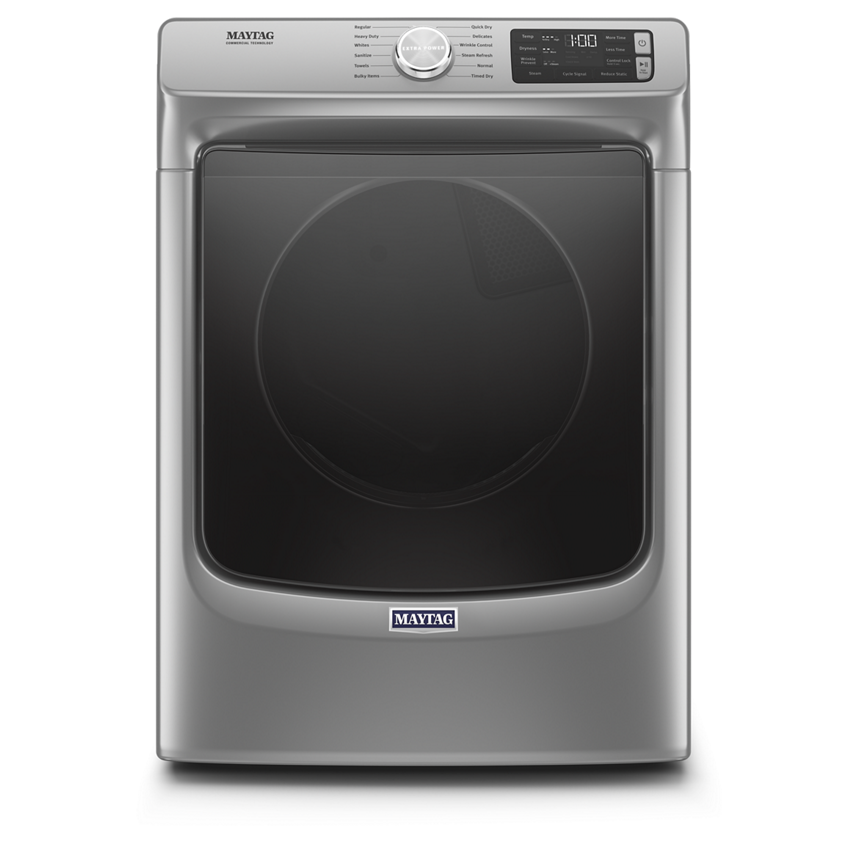
Image source: www.maytag.com
Understanding Your Maytag 2000 Series Dryer
Before diving into specific issues, it helps to understand how your dryer works. The Maytag 2000 Series uses a combination of electric heating elements, a rotating drum, moisture sensors, and a ventilation system to dry clothes efficiently. Most problems stem from airflow restrictions, electrical faults, or component wear. By approaching each issue systematically — starting with the simplest checks — you can often pinpoint the exact cause without calling a technician. For more on this, see our guide on lg dryer troubleshooting codes.
Power and Electrical Issues
Power-related problems are among the most common issues you'll encounter. Fortunately, many can be resolved without any special tools or expertise.
Dryer Won't Start or Turn On
If your Maytag 2000 Series dryer shows no signs of life, start here:
- Check the power cord – Ensure it’s fully plugged into a dedicated 240V outlet. Loose connections are surprisingly common.
- Inspect the circuit breaker – Look for a tripped breaker in your electrical panel. Reset it if necessary.
- Test the outlet – Use a non-contact voltage tester to confirm power is reaching the dryer.
- Examine the door switch – A faulty door switch will prevent the dryer from starting. You should hear a click when closing the door; if not, the switch may need replacement.
- Look for error codes – Some models display error codes on the control panel. Note any codes and refer to your manual or check for related guidance on dryer diagnostics elsewhere on our site.
In practice, a surprising number of "won't start" issues come down to a loose plug or tripped breaker. Always start there before assuming a component failure. For more on this, see our guide on top 7 hair dryer under 50.
Dryer Starts Then Stops Immediately
This symptom usually points to overheating or a safety mechanism kicking in:
- Thermal fuse failure – This safety device cuts power when temperatures get too high. If blown, it must be replaced (not reset).
- Door not latching properly – Even a slightly ajar door can cause the dryer to shut off. Check alignment and hinges.
- Clogged vent – Restricted airflow causes the dryer to overheat, triggering an automatic shutdown.
Heating Problems
When your clothes come out damp or the dryer runs excessively long, heating issues are often to blame.
Dryer Not Producing Heat
If your dryer tumbles but doesn’t generate heat:
- Verify power supply – Electric dryers require 240V. If one leg of the power is missing, the drum may spin but no heat is produced.
- Check the heating element – Use a multimeter to test continuity. No continuity means the element needs replacement.
- Inspect the thermal fuse – Located on the blower housing or heating chamber, a blown thermal fuse cuts power to the heating circuit.
- Test the high-limit thermostat – This safety device prevents overheating. If it’s open (no continuity), it needs replacement.
- Evaluate the control board – Less common but possible — a failed relay on the control board can prevent heating.
A word of caution: never bypass a thermal fuse permanently — it’s a critical fire safety component.
Dryer Overheating
Clothes that come out excessively hot or a dryer that feels very warm to the touch indicates overheating:
- Clogged lint filter or vent – The #1 cause of overheating. Clean thoroughly.
- Faulty thermostat – A stuck-closed high-limit thermostat won’t shut off heat when needed.
- Blocked exhaust vent – Check the external vent flap for obstructions like nests or debris.
Drum and Mechanical Issues
Problems with the drum affect drying performance and often produce noticeable noises.
Drum Not Rotating or Spinning
If the dryer is powered but the drum doesn’t turn:
- Broken drive belt – Listen for a loud whirring or complete silence when the dryer is running. A snapped belt is a clear sign.
- Failed motor – If the motor hums but doesn’t turn, internal windings may be burned out.
- Worn drum rollers – These support the drum and can seize over time, preventing rotation.
- Faulty idler pulley – This maintains belt tension. A seized pulley will stop the drum from turning.

Image source: www.reddit.com
Loud or Unusual Noises
Common noise-related issues and their fixes:
| Noise Type | Likely Cause | Recommended Action |
|---|---|---|
| Thumping | Unbalanced load or worn drum rollers | Redistribute load; inspect/replacerollers |
| Squeaking | Worn glide pads or belt tension | Lubricate or replace affected parts |
| Rattling | Loose items in drum or blower housing | Remove foreign objects |
| Grinding | Drum bearings or motor issues | Professional diagnosis needed |
Always disconnect power before inspecting internal components.
Ventilation and Airflow Problems
Poor airflow is the most frequent culprit behind inefficient drying and safety hazards.
Clothes Taking Too Long to Dry
This is rarely a heating issue — it’s almost always airflow restriction:
- Clean the lint filter after every load – Even small amounts of residue restrict airflow.
- Inspect the exhaust duct – Check for kinks, crushing, or blockages. Flexible plastic vents are a fire hazard — replace with rigid metal ducting.
- Clean the vent hose and exterior vent cap – Lint buildup here is extremely common.
- Check for proper installation – The duct run should be as short and straight as possible.
We recommend cleaning the entire exhaust system annually. For homes with long duct runs or multiple bends, professional cleaning every 1–2 years is wise.
Dryer Overheating Due to Poor Ventilation
As mentioned earlier, restricted airflow causes overheating. Beyond cleaning, ensure your exterior vent cap opens freely and isn't blocked by snow, vegetation, or pest nests. For more on this, see our guide on lg dryer d80 code but no blockage.
Sensor and Control System Issues
Modern Maytag 2000 Series dryers rely on sensors for proper operation. When these fail, symptoms can be misleading.
Moisture Sensor Not Working Properly
Moisture sensors determine dryness levels and signal the control system when to stop the cycle. If clothes come out wetter than expected:
- Clean the sensor bars – Located near the lint filter, these stainless steel strips can accumulate residue. Clean with rubbing alcohol.
- Check sensor wiring – Loose or corroded connections interrupt signal transmission.
- Replace worn sensors – Over time, sensor bars lose sensitivity and need replacement.
Note: Using fabric softener sheets regularly can coat sensors and reduce their accuracy over time.
Automatic Cycle Ending Too Soon
If the dryer stops prematurely:
- Sensor contamination – Residue or debris on sensor bars triggers false "dry" readings.
- Control board malfunction – A failing control board may misinterpret signals. This typically requires professional repair or replacement.
Our guide on interpreting Maytag dryer error codes provides additional context for diagnosing sensor-related issues.
Maintenance Best Practices
Regular maintenance is the single biggest factor in preventing problems.
Cleaning the Lint Filter
- Clean after every load — even small amounts of lint restrict airflow significantly.
- Wash monthly with warm soapy water to remove fabric softener residue.
- Replace if damaged or warped.
Cleaning the Exhaust Vent System
- Disconnect power before starting.
- Remove and clean the vent hose, ductwork, and exterior vent cap.
- Use a dryer vent cleaning kit or hire a professional for thorough cleaning.
- Inspect annually, especially if drying time has increased.
Other Key Maintenance Tasks
- Check the drum seals – Cracked or missing seals let hot air escape and allow lint into internal components.
- Inspect the belt and pulleys – Look for fraying, glazing, or excessive slack.
- Clean the blower wheel – Located behind the lint filter housing, this component accumulates lint and should be cleaned annually.
When to Call a Professional
While many issues can be resolved with basic troubleshooting, some repairs require specialized tools or knowledge:
- Control board or electronic component failures
- Motor or internal wiring problems
- Gas valve or igniter issues (for gas models)
- Persistent error codes after basic troubleshooting
- Any repair involving gas connections
Professional appliance technicians have the experience to safely diagnose complex electrical issues and source genuine replacement parts. For ongoing maintenance contracts, many homeowners find value in annual inspections by certified technicians.
For more detailed guidance on specific error codes, including how to interpret fault indicators on your Maytag dryer, explore our full catalog of dryer troubleshooting resources. For more on this, see our guide on lg dryer d90 code but no blockage.
Frequently Asked Questions
What does error code F1 mean on a Maytag 2000 Series dryer?
Error code F1 typically indicates a malfunction in the control system or keypad. Try unplugging the dryer for 5 minutes to reset it. If the code returns, the control board or touchpad likely needs replacement.
Why is my Maytag dryer showing a PF code?
PF stands for "Power Failure." This appears when the dryer loses power mid-cycle. Check your circuit breaker and power cord connection. If the issue recurs frequently, it may indicate a loose connection or failing component. For more on this, see our guide on lg dryer code 9a5.
How do I know if my thermal fuse has blown?
A blown thermal fuse won’t carry continuity when tested with a multimeter. Visually, it may appear discolored or damaged. Replacement is required — thermal fuses are not resettable.
Can I clean the dryer vent myself?
Yes, with proper precautions. Turn off power, disconnect the vent hose, and use a dryer vent brush to remove lint buildup. For long or complex duct runs, consider hiring a professional cleaner for thorough results.
Is it safe to bypass the door switch temporarily?
No. The door switch is a critical safety feature that prevents the dryer from operating with the door open. Bypassing it creates a serious risk of burns, injury, or fire.
Final Thoughts
Troubleshooting your Maytag 2000 Series dryer doesn't have to be overwhelming. By working through issues systematically — starting with power, then airflow, then specific components — most problems can be diagnosed and often fixed at home. Regular maintenance, particularly cleaning the lint filter and exhaust system, prevents the majority of issues before they start.
However, don't hesitate to call a professional for electrical or gas-related repairs. Safety should always come first, and experienced technicians can often spot problems that aren't immediately obvious.
With proper care and attention, your Maytag 2000 Series dryer should provide reliable service for years to come. For additional troubleshooting tips and maintenance guides, browse our full library of dryer resources.

Image source: m.youtube.com
This includes detailed walkthroughs on resolving specific fault codes, comparing repair versus replacement costs, and understanding warranty coverage. Our team regularly updates these guides based on real-world feedback from appliance technicians and homeowners alike.
For those dealing with recurring issues, we also offer seasonal maintenance checklists and recommendations on when to consider professional appliance servicing. Whether you're troubleshooting a noisy dryer drum, investigating why your Maytag 2000 Series runs excessively long, or trying to decipher cryptic error messages, our resources provide step-by-step guidance backed by hands-on experience.
Remember: while DIY troubleshooting can save money and provide valuable insight into your appliance's operation, certain repairs — especially those involving electrical systems, gas components, or internal control boards — are best left to certified professionals. Safety should never be compromised in the name of convenience.
By combining routine maintenance with informed troubleshooting, you'll maximize both the lifespan and performance of your Maytag dryer. Keep this guide handy for future reference, and bookmark our site for ongoing support with all your laundry appliance needs.